
Plugins
Plugins extend the functionality of the GameAP panel: they add new pages, tabs on the game server page, file editors, buttons on the home page, and integrations with external services.
A plugin is a single .wasm file (a WASM module targeting wasm32-wasip1). Plugins can be written in any language that compiles to WASM: there is a ready-made SDK for Rust, and development in AssemblyScript is possible. A plugin may include a Vue 3 frontend embedded in the same .wasm file — the plugin’s pages and components run directly inside the panel interface.
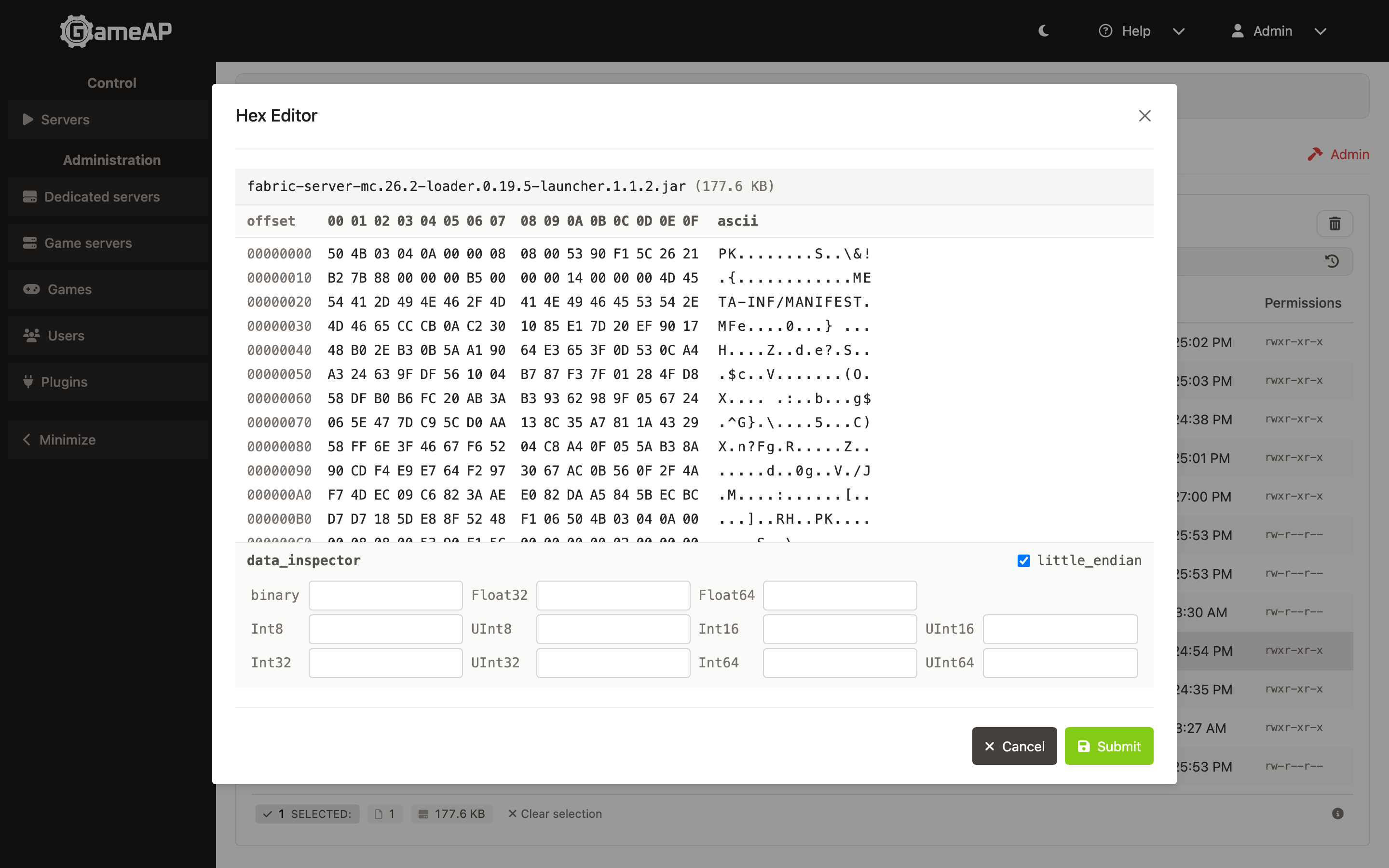
A hex editor for game server files — an example of a working plugin.
Security
The server-side part of a plugin runs in an isolated environment (a WASM runtime): it has no direct access to the file system or the network, and every call goes through a controlled panel interface. Privileged calls — managing servers, running commands and working with files on nodes, secrets, receiving events — are additionally gated on the permissions the administrator has granted the plugin: installation grants the recognised permissions the plugin’s manifest declares, and the grants are edited in the Permissions dialog (see Plugin permissions). Whether the grants are applied is decided by PLUGINS_PERMISSIONS_ENFORCE — in 4.5.0 it is false by default.
Outbound SSH connections from the panel are disabled until the operator sets PLUGINS_SSH_ENABLED=true; plugin secrets are encrypted with the panel’s ENCRYPTION_KEY, and without a key a write is refused unless the operator opts out with PLUGINS_SECRETS_REQUIRE_ENCRYPTION=false (which stores them in plaintext); expensive host functions are rate limited per plugin; the node paths a plugin may access can be confined with PLUGINS_NODEFS_PATH_POLICY. Only a panel administrator can install and remove plugins. When installing from the catalog, the panel verifies the SHA-256 hash of the downloaded file.
Isolation covers the WASM part only. The plugin frontend is not sandboxed — it is ordinary JavaScript in the same origin as the panel, with access to the page and to the API on behalf of the current user. See Plugin frontend.
Hence the main rule: a plugin gets as many rights as the administrator who installed it. Install plugins only from sources you trust.
Plugin catalog
The official plugin catalog is available at plugins.gameap.dev (Russian version — plugins.gameap.ru). Both plugins by the GameAP team and plugins by third-party developers may be published there — anyone can register and publish their own plugin (see Publishing to the catalog).
Plugins from the catalog are installed from the panel interface in a few clicks (see Installation and management).
Official plugins
| Plugin | Description | Catalog | Repository |
|---|---|---|---|
| FTP (files) | Managing an FTP(S)/SFTP server on dedicated servers (nodes) | plugins.gameap.dev/plugins/files | github.com/gameap/plugin-files |
| HEX Editor | Viewing and editing game server files in hexadecimal | plugins.gameap.dev/plugins/hexeditor4jm2 | github.com/gameap/plugin-hex-editor |
| GoldSource Addons | Managing Metamod and AMX Mod X plugins on GoldSource servers (Half-Life, CS 1.6, etc.) | plugins.gameap.dev/plugins/ezvdsxmlu6fbk | github.com/gameap/plugin-goldsrc-addons |
| Minecraft Modrinth | Searching, installing and updating Minecraft mods and plugins from modrinth.com | plugins.gameap.dev/plugins/dshdabjp2l73a | github.com/gameap/plugin-minecraft-modrinth |
In this section
- Installation and management — installing plugins from the catalog and from a local file (with a permission preview), updating, removing, plugin permission grants, automatic recovery, multi-instance behaviour, environment variables.
- Plugin development — plugin system architecture, the plugin interface, events, HTTP routes, host functions, building with Rust.
- Plugin frontend — embedding the plugin interface into the panel, the
PluginDefinitionmanifest, the 20 UI slots, file editors, SDK, local debugging. - Publishing to the catalog — registering in the catalog, publishing versions, moderation, publishing from CI/CD.