
Quake III Arena
Quake III Arena is a multiplayer first-person shooter developed by id Software. The game focuses entirely on multiplayer combat and lacks a traditional single-player campaign.
The game is similar to Unreal Tournament and other first-person shooters from the late 1990s and early 2000s.
Environment Setup
GameAP provides support for Quake III Arena game servers, their configuration and management.
Installing GameAP Daemon
GameAP Daemon is an agent responsible for managing game servers on dedicated machines. To install a game server on a machine (VDS), you need to install GameAP Daemon.
When installing GameAP, you can choose a full installation including the Daemon (using the --with-daemon flag).
In the control panel, go to Administration → Dedicated servers → Create. A window will appear offering automatic installation. Copy the code and run it on the dedicated server.
After that, you can proceed with installing the Quake III Arena server.
Installing Quake III Arena Server in GameAP
Go to Administration → Game servers → Create
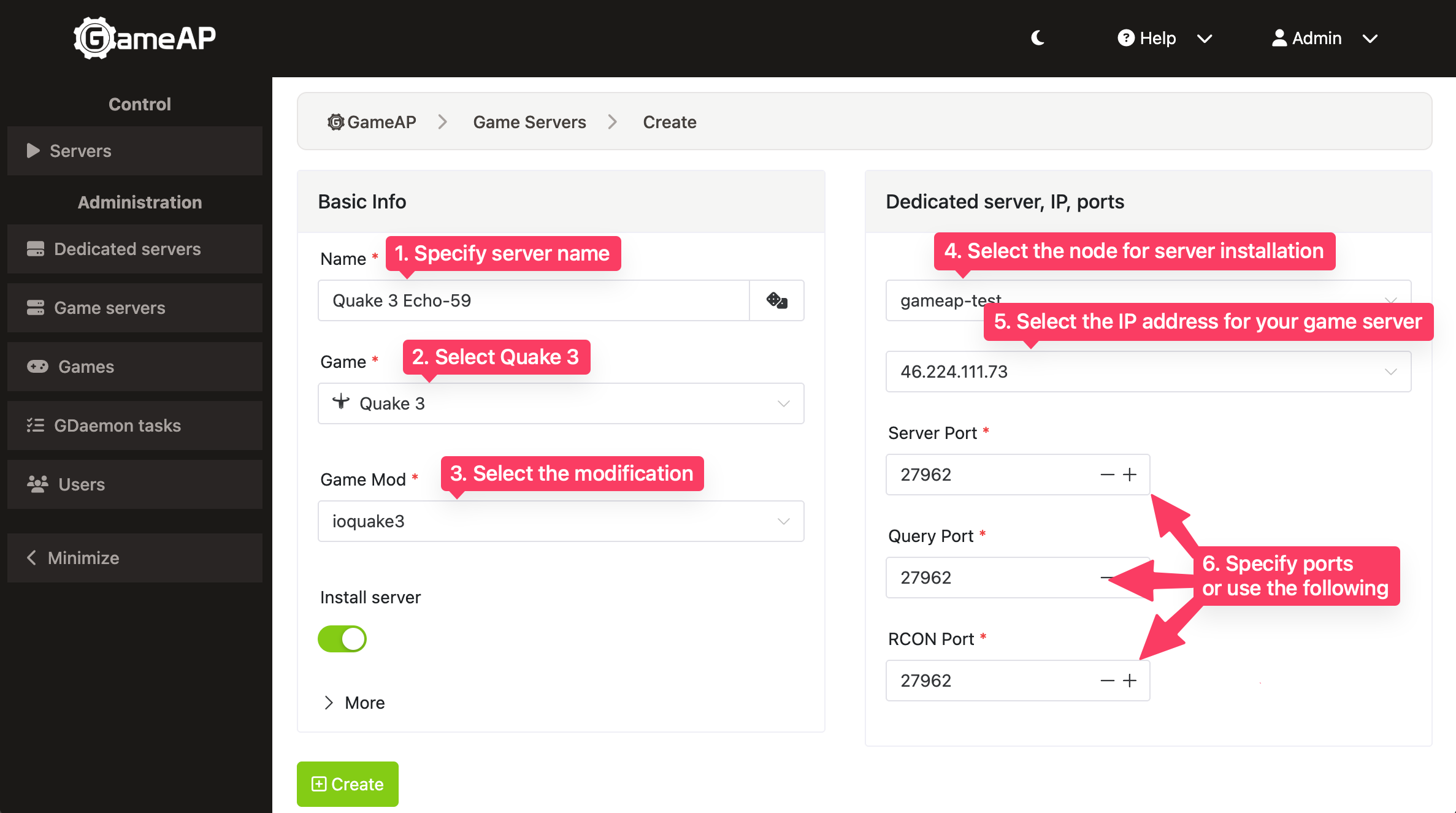
- In the “Name” field, enter any server name, for example “My Quake III Server”.
- In the “Game” field, select “Quake 3” from the dropdown list.
- In the “Game Mod” field, specify the desired modification; the default is
ioquake3. Thequake3eoption is also available. - In the “Dedicated Server” field, specify the node where the game server will be hosted. If you have only one dedicated server, it is selected automatically.
- In the “IP” field, select the desired address for your server, then specify an available port or leave the one suggested by the system.
Configuring the Quake III Arena Server
To change the server configuration, go to the Servers section, select your server, and click Control. Then open the Settings tab.
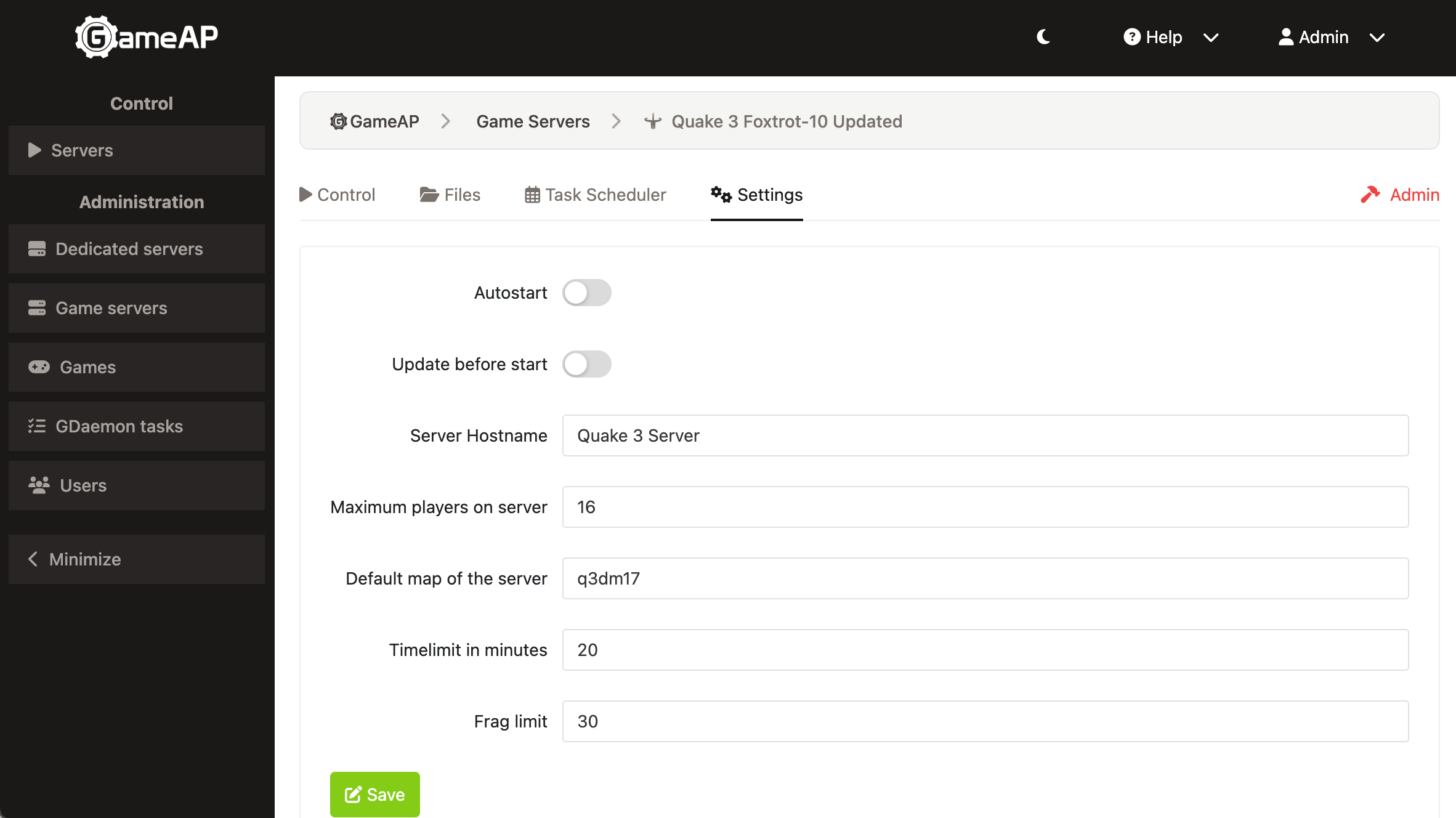
For changes to take effect, you need to restart the server.
Apart from the map list, all of the Quake III settings described below are plain text boxes.
Server Hostname
The name of your Quake III server that will be visible to all players in the server list when searching. The default value is Quake 3 Server.
Maximum Players on Server
The maximum number of players that can be on the server at the same time. The default value is 16. This field is marked Admin only and is shown to administrators only.
Default Map of the Server
The map that will automatically load when the server starts. The field is a drop-down list of 35 maps;
a custom map name can be typed in as well. The default map is q3dm17, known as “The Longest Yard”.
Timelimit in Minutes
The maximum round duration in minutes. The default value is 20 minutes.
Frag Limit
The number of frags (kills) at which the round ends. The default value is 30 frags.