Counter-Strike 2
Counter-Strike 2 is a tactical first-person shooter released in 2023, developed and published by Valve. It is the fifth main installment in the Counter-Strike series, building on the success of its predecessors with updated graphics, gameplay mechanics, and new features.
Setting Up the Environment
GameAP fully supports Counter-Strike 2, including player management. To start working with the GameAP control panel, you need to install it by choosing one of the options provided:
Installing GameAP Daemon
To host a game server on your virtual or dedicated server machine, you need to install GameAP Daemon. When installing GameAP, you can choose the option to perform a full installation along with the Daemon.
In the control panel, go to Administration → Dedicated servers → Create. A window with an offer for automatic installation will appear. Copy the code and execute it on the dedicated server.
After this, you can proceed with the Counter-Strike server installation.
Installing Counter-Strike in GameAP
Go to Administration → Game servers → Create
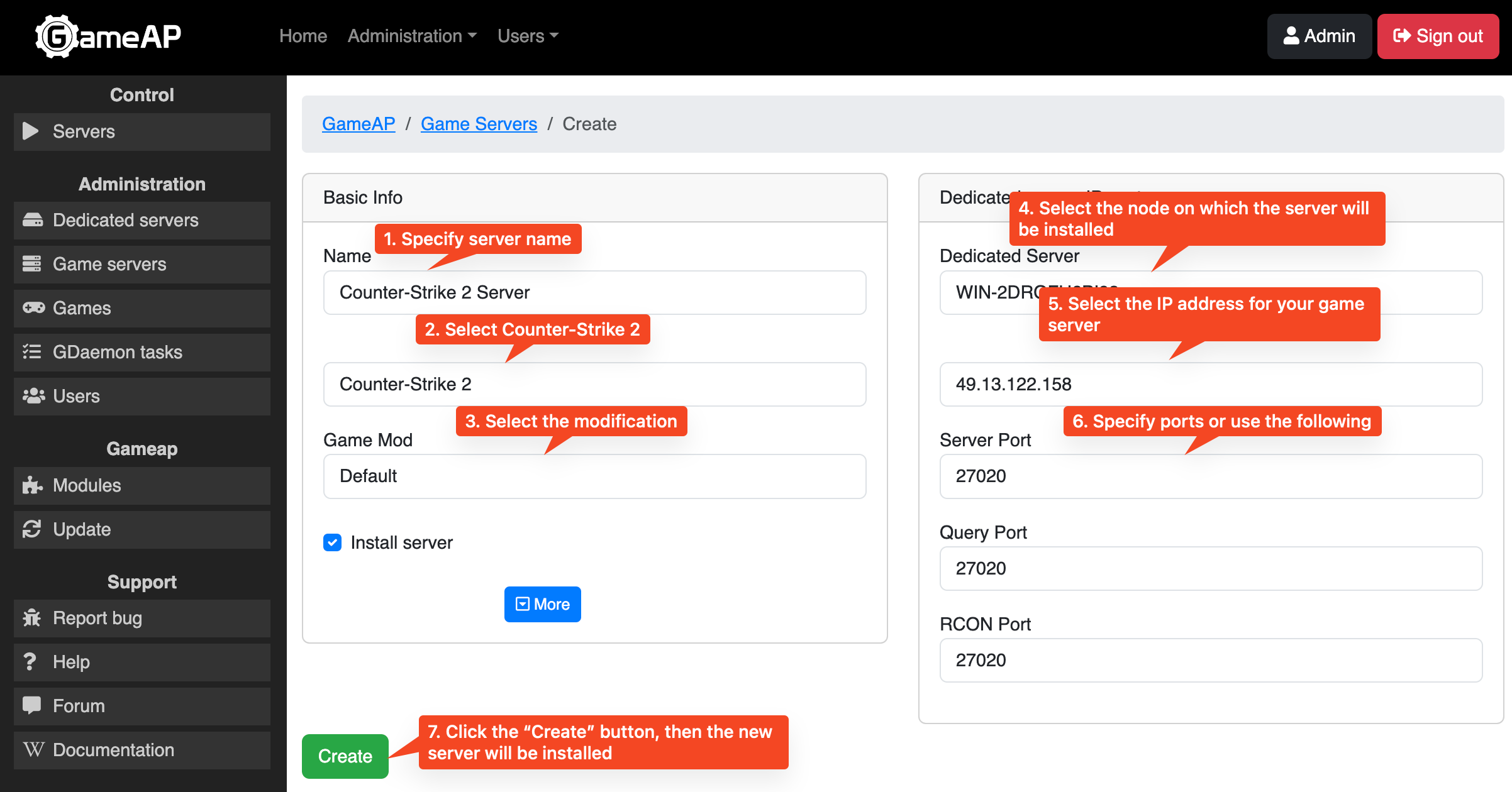
- In the “Name” field, enter any server name, for example, “My Counter-Strike 2 Server”.
- In the “Game” field, select Counter-Strike 2.
- In the “Game Mod” field, leave “Default”; it is selected automatically.
- In the “Dedicated Server” field, select the desired node on which the game server will be located.
- In the IP field, select the desired address of your server, then you can choose a free port of your server, or use the suggested one.
Server Token
After installation, you need to specify a unique token sv_setsteamaccount
for the server; without it, the server will not work.
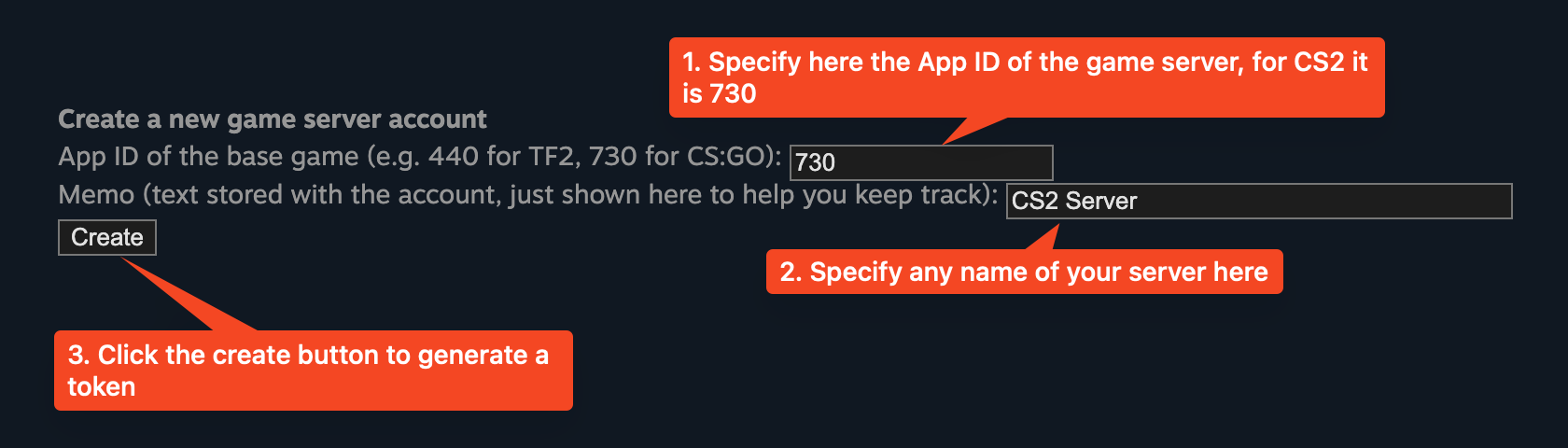
To generate it, go to https://steamcommunity.com/dev/managegameservers.
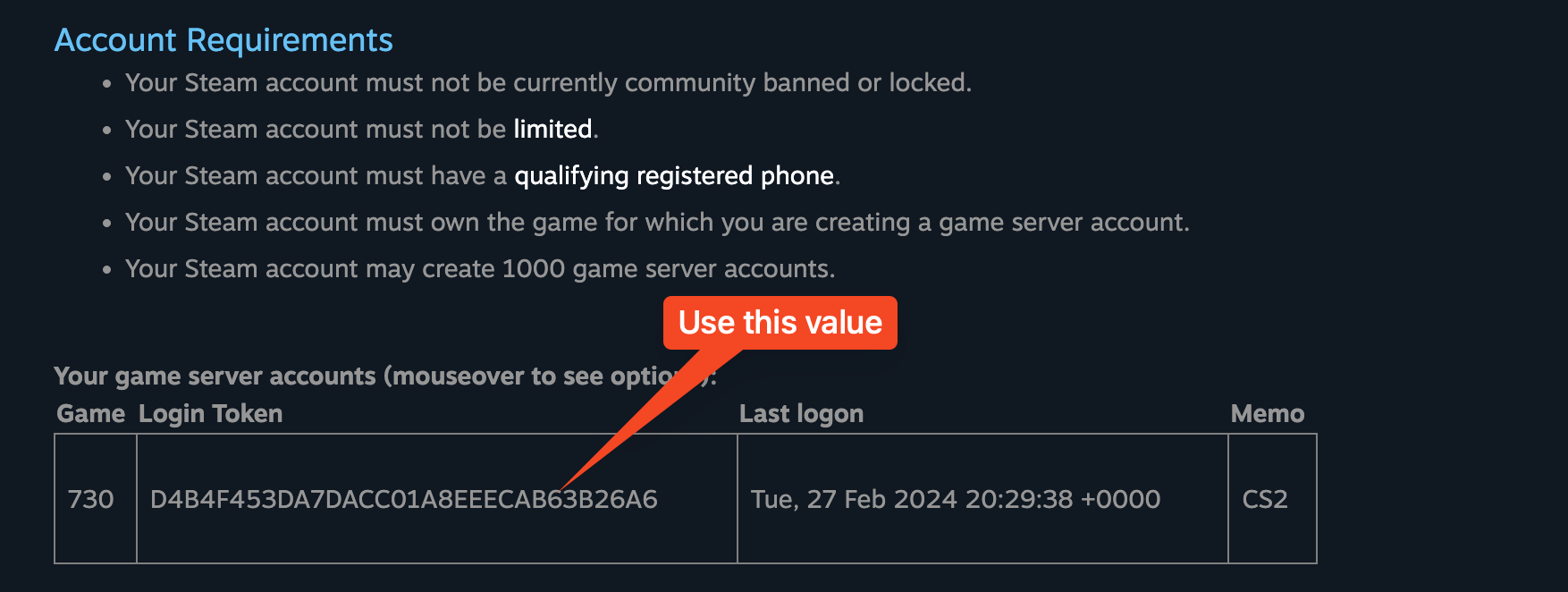
After generation, the token value will appear in the table, use the 32-character value:
You need to copy the token value and specify it in the control panel settings. Go to Servers → select your server → Control → Settings and paste it into the “Server Token (sv_setsteamaccount)” field. The field is a plain text box marked Admin only, so it is shown to administrators only.
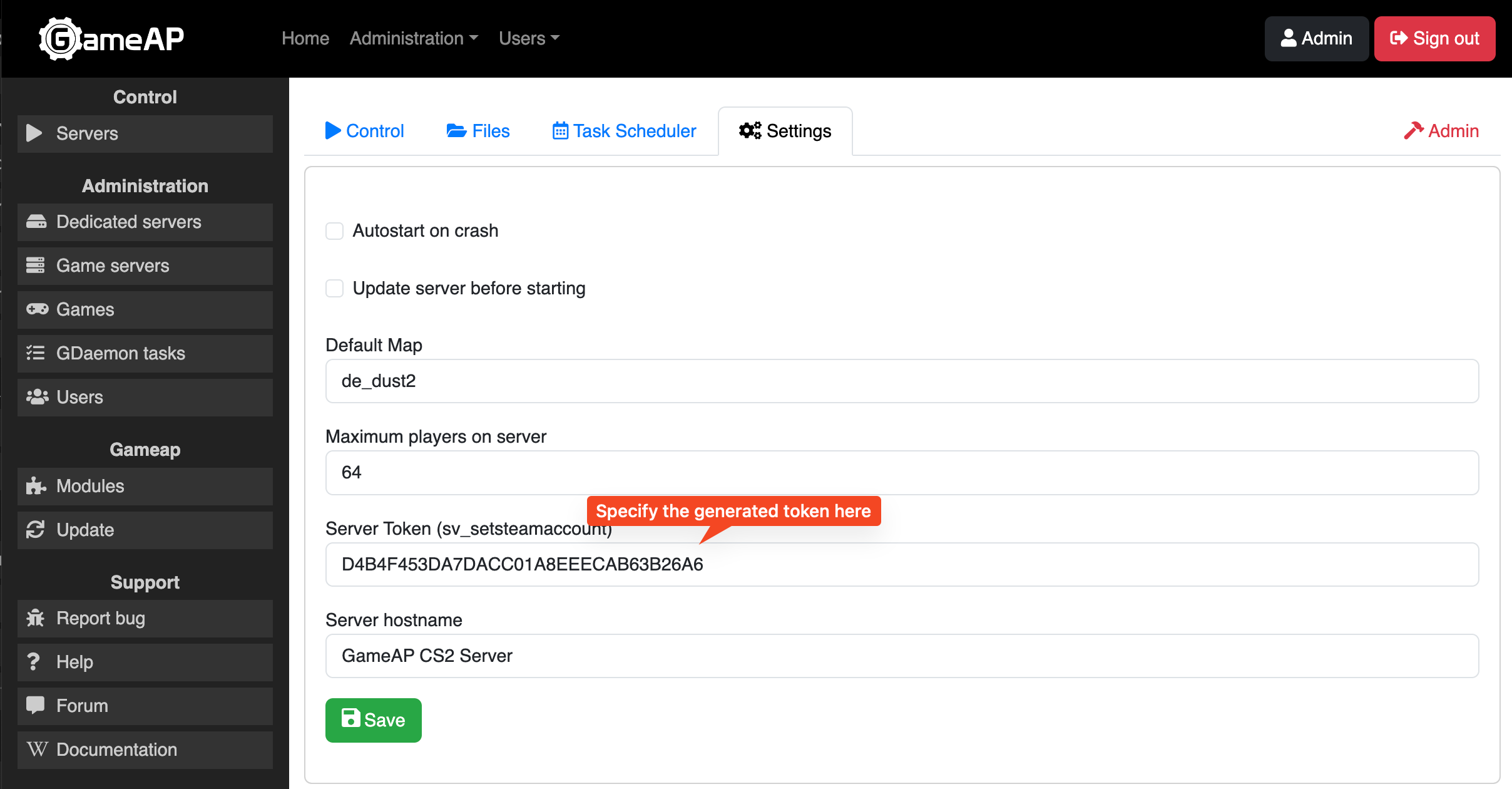
After this, you can launch your server.
The same tab also contains the “Server hostname” field and the “Default Map” drop-down list
with 17 maps (de_dust2 by default); a custom map name can be typed in as well.
Configuring Counter-Strike 2 Server
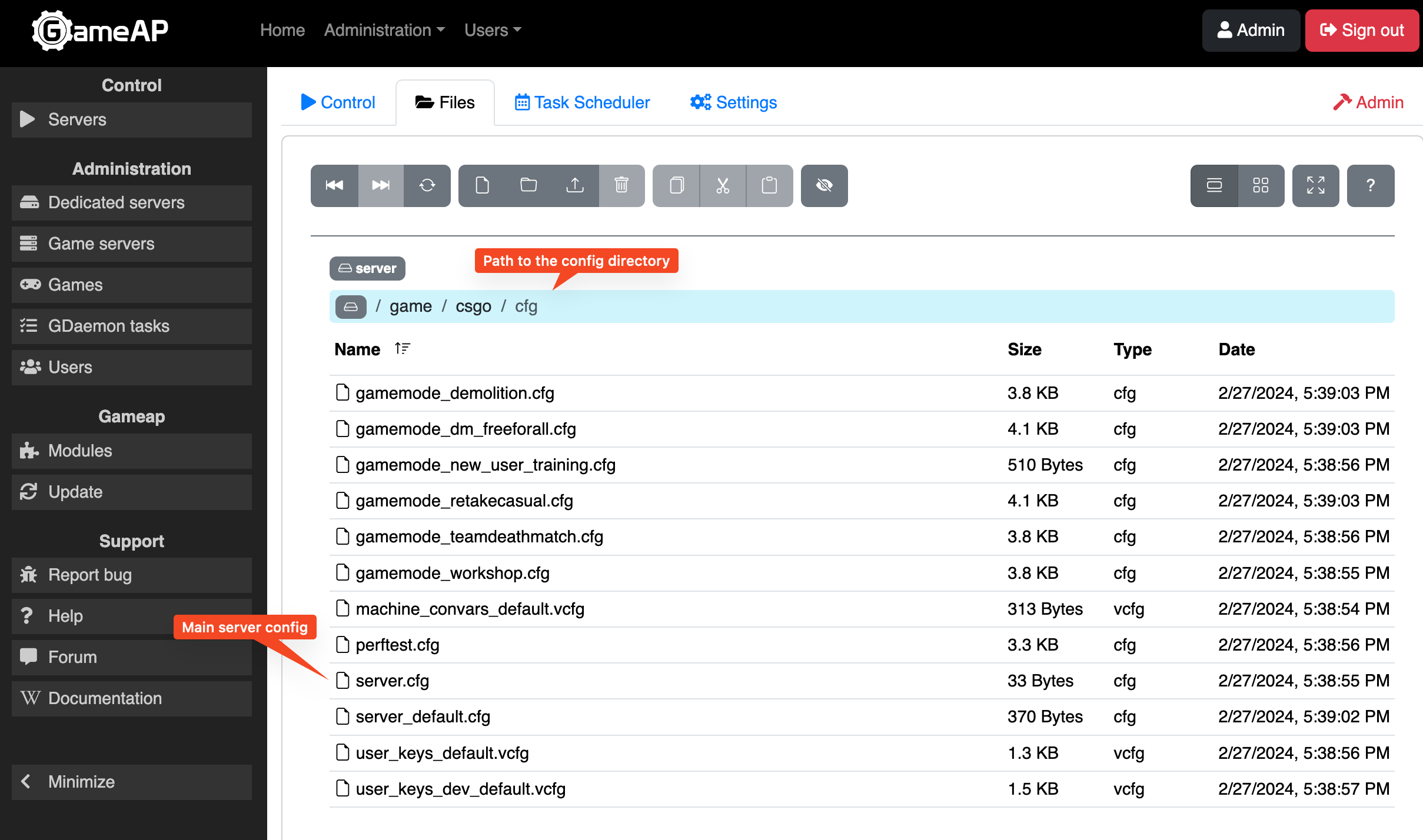
To change the server configuration, in the file manager,
go to the /game/csgo/cfg directory, where you can find many *.cfg files.
The main configuration file for Counter-Strike 2 server is server.cfg